Create templates
Prepare your document once, then reuse it for the next client or team.
 SignRobinpreview
Create PDF forms, save templates and send documents for filling, approval or signing. Follow recipient progress and download completed documents with audit evidence.
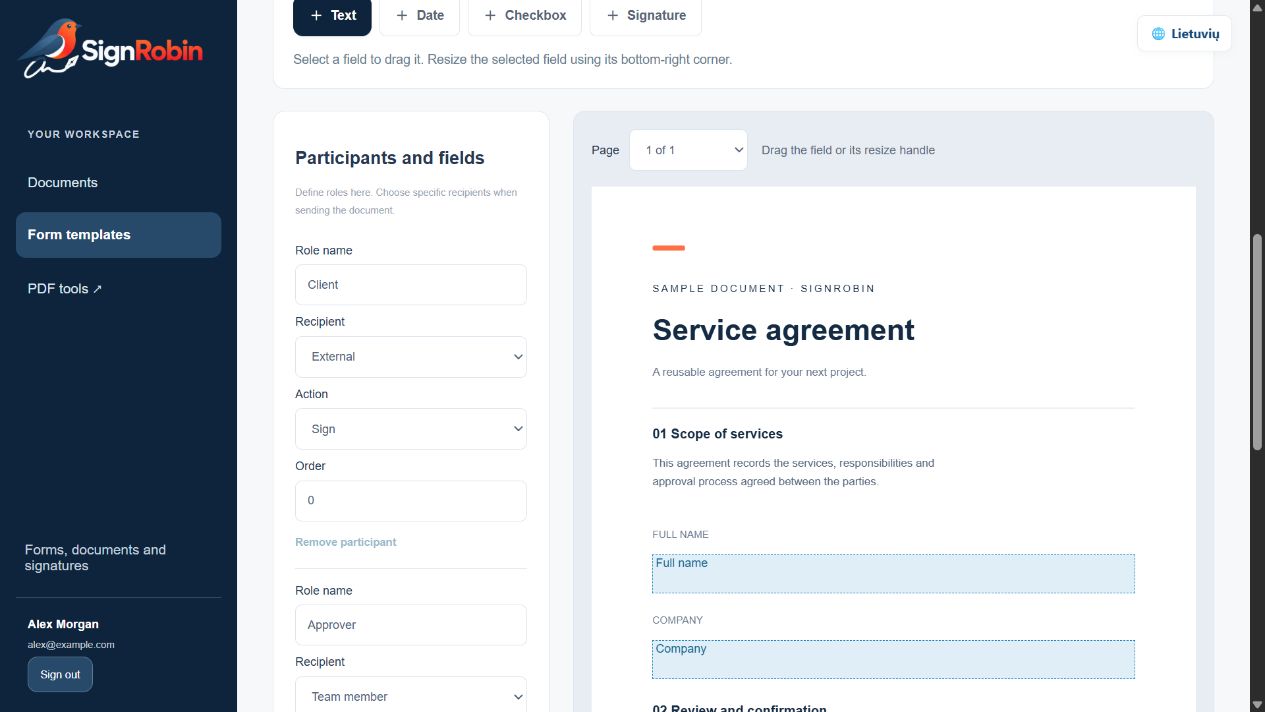
SignRobin template editor. Example document and sample data.
Prepare your document once, then reuse it for the next client or team.
Text, dates, checkboxes and signature fields, directly on your PDF.
Choose who completes, approves and signs. Everyone sees their own task.
Invite recipients using a secure link. They can complete and sign from their phone.
See participant status and document history in one workspace.
Completed documents and audit evidence stay available in your account.
Choose a task. Open a file. Download the result.
Draw, type or upload a signature mark and place it on a PDF.
Sign a PDF locally with your PKCS#12 or PEM key.
Place fillable fields on your PDF.
Continue with a saved template.
Open a PDF, place fields and create a fillable template. Your original layout remains the foundation.
Build a form ↗Send for filling and signing ↗Create a fillable PDF here without an account. Use your workspace to save templates, send documents for filling and signing, and follow their progress.
Upload your PDF, place fields and assign them to participants.
Invite recipients to complete, approve and sign their part.
See every status and download the completed document with audit evidence.
Account templates, documents and responses are encrypted on the server. Browser PDF tools are clearly separated from your account workspace. Recipients receive invitation links intended for them.
Proposed launch prices. Paid subscriptions are not available yet.
Recipients complete and sign free. Only people creating and sending documents need a paid seat.
0 €
Available now
3 €
Planned · per month
15 €
Planned · per month
49 €
Planned · per month
Prices in EUR, excluding VAT where applicable. Monthly billing, no annual commitment. These are proposed allowances, not current account entitlements. One send means one document workflow sent to one recipient or recipient group; a bulk delivery to 100 independent recipients uses 100 sends. Test failures do not consume sends. No automatic overage charges: a paid top-up would require confirmation. Proposed top-up: €5 / 100 sends. Paid identity verification, SMS, qualified electronic signatures and trusted timestamps are not included.
See what each tool does, where it processes your file and which limits apply.
Recipients can complete and sign using their invitation link after verifying access using the selected method. They do not need to create a sender account.
Yes. Upload your document, place fields and assign them to participants. You can reuse the template later.
SignRobin focuses on templates, forms and completion and signature workflows. DocComet is a separate, broader PDF toolbox.